

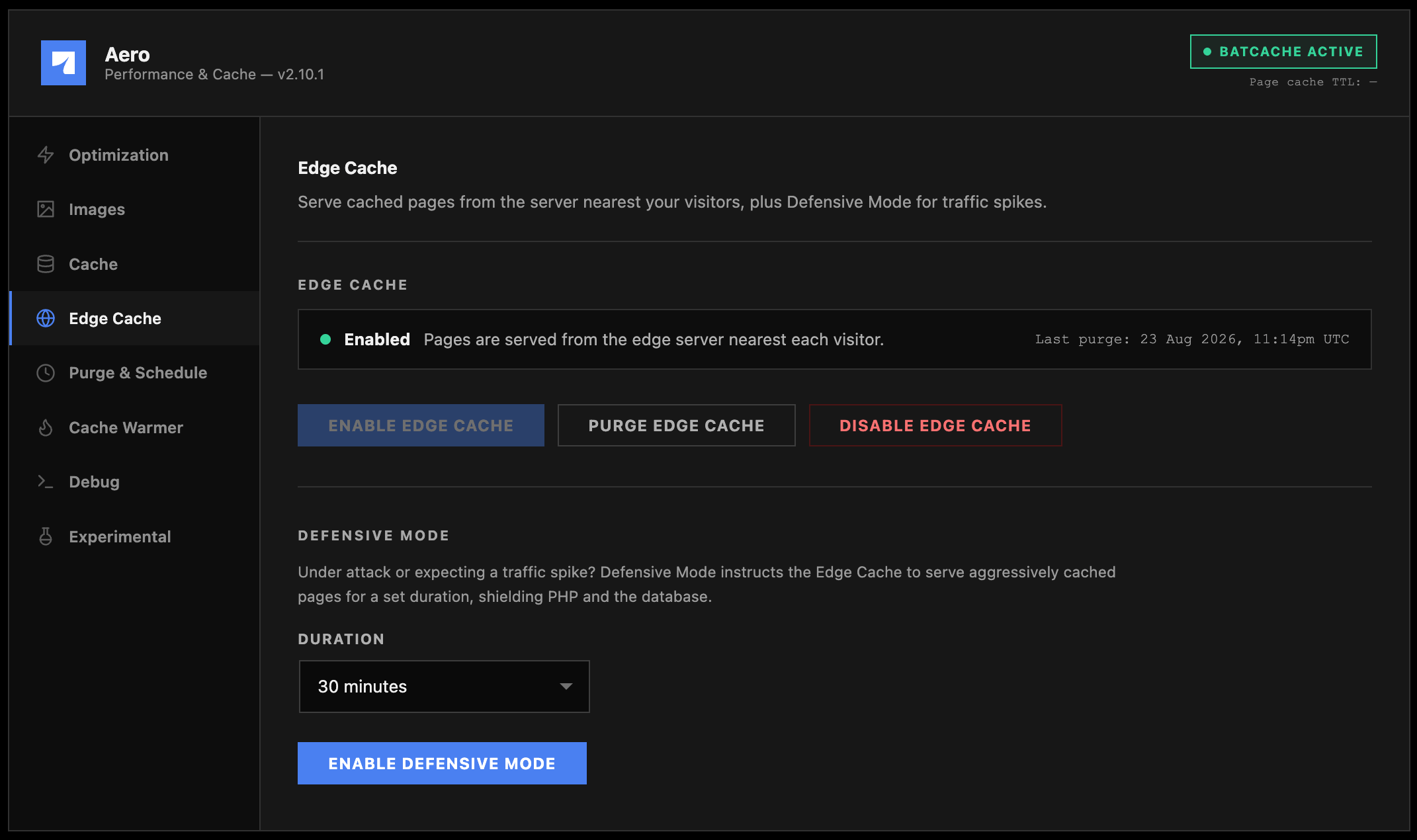
This screen only does something if the Edge Cache module built into WP Stratos hosting is active on your site. If it isn’t, the controls are visible but disabled. This is expected on non-WP Stratos hosting and isn’t something to troubleshoot.
Enable, purge, disable
The status row shows your current state plus the timestamp of the last purge, which is worth checking before you assume a content change didn’t take, since an old Edge copy is a common cause of “I updated it but it still looks old” reports days after a deploy. The Debug report includes this same status if you need it in a support ticket.
Defensive Mode
Defensive Mode is a deliberate, temporary trade: it tells the edge to serve aggressively cached pages for a set duration, shielding your PHP workers and database from a traffic spike or an active attack, at the cost of freshness. Real visitors get a cached page even in situations that would normally force a fresh render, like a logged-out shopping cart count or a comment count that lags by a few minutes.1
Recognize when you need it
Sudden traffic spikes (a viral post, a product launch, a press mention) or signs of an active bot/DDoS pattern are the right triggers. This is not a setting to leave on by default.
2
Pick a duration
Choose from the duration dropdown and click Enable Defensive Mode. Shorter durations are safer since freshness returns sooner; only reach for the longest option if the spike is genuinely sustained.
3
Monitor and disable when it's over
The status row shows the exact expiry time. You can click Disable Defensive Mode manually the moment traffic normalizes, rather than waiting out the full duration.