

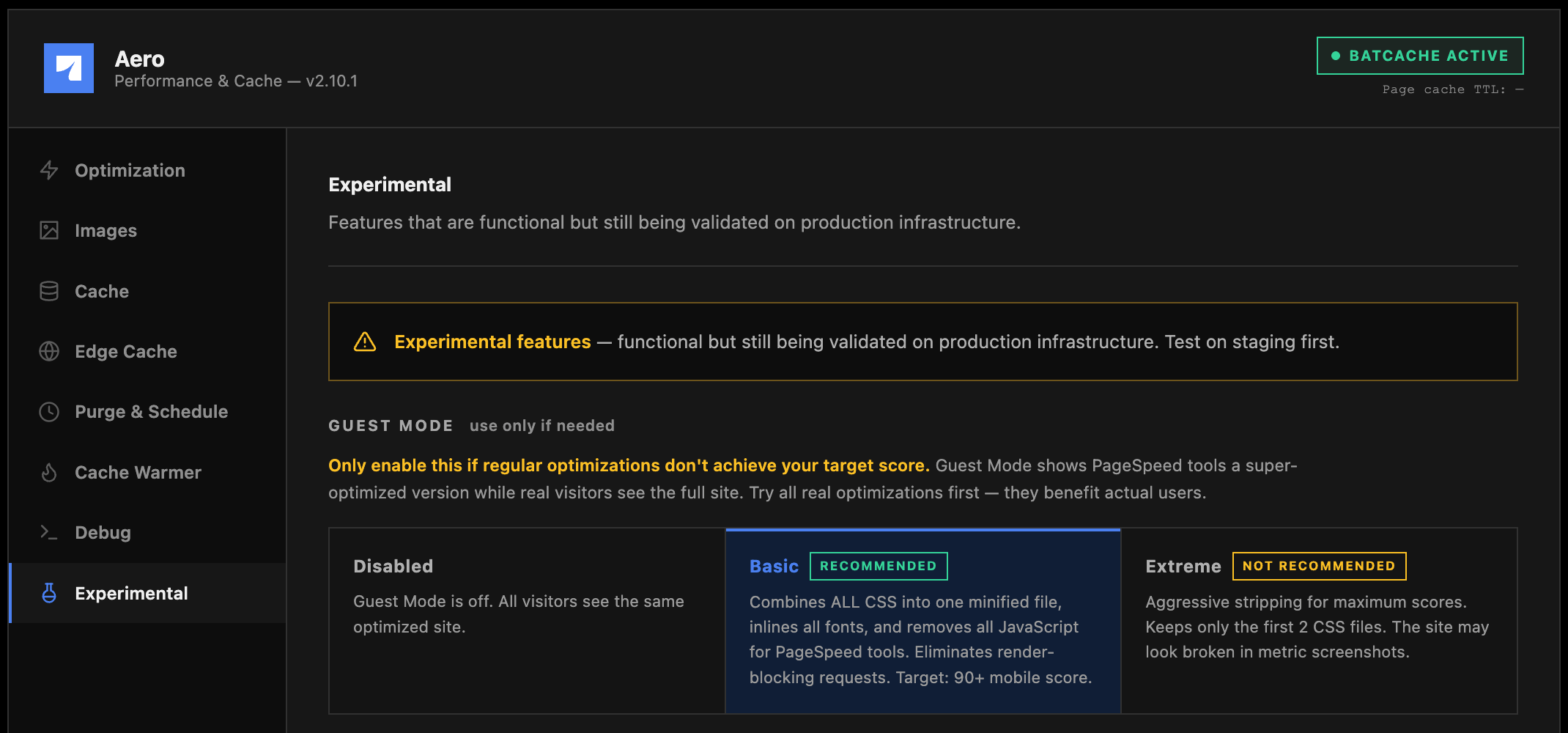
Guest Mode
Guest Mode shows PageSpeed-style testing tools (PageSpeed Insights, GTmetrix, and similar synthetic testing bots) a more aggressively optimized version of your page, while real human visitors continue to see your full site. It exists for one specific, narrow situation: you’ve applied every real optimization available (everything on the Optimization and Images pages, a solid cache setup), and you’re still short of a target score for a reason that’s cosmetic to the test rather than a real problem for visitors.Levels
Guest Mode custom CSS
A separate CSS field, appended to the combined stylesheet only when Guest Mode is active, meaning only PageSpeed-style tools ever see it. Its practical use is patching layout breakage caused by stripping JavaScript for the test: animation libraries like GSAP often leave elements stuck atopacity: 0 waiting for JS that Guest Mode just removed. Use browser DevTools against a Guest Mode render to find elements stuck invisible, then fix them here with something like opacity: 1 !important or visibility: visible !important.
Guest Mode Cache Isolation
A real, separate problem this section solves: without isolation, if a testing bot happens to be the first visitor after a cache flush, Batcache or Edge Cache can store that stripped-down bot render and then serve it to actual human visitors. Isolation keeps guest (bot) responses out of the shared cache pool entirely, so this never happens. If isolation is on, turn on warming the Guest bucket too, otherwise the bot-facing cache stays cold and the first real bot visit after a flush pays the full render cost anyway.Isolation only does anything while Guest Mode itself is enabled above. With Guest Mode off, there’s no divergent render to isolate, so the isolation toggle has no effect and the screen tells you so directly.
Layer 1: plugin-level isolation
A single checkbox. Sendsno-store headers and sets DONOTCACHEPAGE for guest (bot) visitors, which prevents guest renders from being stored in Batcache or Edge Cache in the first place.
Layer 2: wp-config.php bucket separation
Batcache serves cached pages fromadvanced-cache.php before any plugin loads, which means Layer 1 alone can’t fully separate bot and human traffic at serve time, only at store time. This layer adds a snippet to wp-config.php (above the “That’s all, stop editing!” line) that keys the Batcache bucket itself on visitor class, so bot and human requests never share a cache entry at all, not even briefly.
The screen shows whether the snippet is currently detected in wp-config.php and provides the exact snippet to paste in, click the code box to select it all. After adding it, run Flush All Caches once so any existing mixed cache entries (from before the snippet existed) get cleared out.